

A Shopify MRP system becomes necessary the moment your store stops selling finished goods off a shelf and starts building them from parts. That shift, from reselling to making, is where Shopify's native inventory quietly stops keeping up. Your storefront still shows a number next to each product, but that number no longer reflects whether you can actually build the thing when the order lands.
Why Shopify's Native Inventory Falls Short Once You Start Manufacturing
Picture a candle brand that started by pouring, labeling, and shipping single jars. Shopify tracked each jar fine. Then the brand launched gift sets: three candles, a wooden matchbox, and a printed card, assembled to order. Now the "product" a customer buys doesn't exist on a shelf. It gets built when the order comes in, from five separate components that each have their own stock level and supplier.
Shopify doesn't know that. It sees one SKU with a quantity, and it'll happily sell that quantity whether or not you have the parts to assemble it.

The three-step breakdown
Here's the exact sequence that trips up growing stores. A Shopify order fires for a gift set. The finished good is out of stock because you build to order, so there's nothing to pick. And Shopify has no idea a production run is even needed, because it has no concept of a production run. The order sits, the customer waits, and you find out when someone emails asking where their package is.
The reorder-point logic that works for inventory management on Shopify assumes a finished good you can restock by buying more. Manufacturing breaks that assumption. You don't buy the finished good. You buy parts and assemble them, which adds a whole planning layer Shopify was never built to hold. This is the gap tools like Organizely's manufacturing inventory management are built to fill: they hold the parts, the recipes, and the production layer Shopify leaves out.
Overselling assembled or made-to-order SKUs
Variant tracking handles color and size well. It doesn't handle the fact that your real constraint is a shared component. Say two of your gift sets both use the same wooden matchbox. Shopify tracks each set's variant independently, so it'll let you sell both sets down to zero even though you only have enough matchboxes for one. The stockout hides inside a part that no channel is watching.
The spreadsheet bridge and why it breaks at scale
Most sellers patch this with a spreadsheet. One tab lists components, another calculates how many sets you can build, and someone updates both by hand after every production run. It works at ten orders a day. At a hundred, the reorder triggers fire late because nobody updated the sheet in time, there's no component-level visibility across channels, and the bills of materials drift out of date the moment you tweak a recipe. The spreadsheet doesn't fail loudly. It fails as a slow accumulation of small errors that end in a stockout you didn't see coming.
What an MRP System Actually Does, and Why the Shopify Context Changes Everything
Can Shopify be an ERP? Not on its own. Shopify runs your storefront, checkout, and payments well, and it tracks finished-goods inventory. It has no bill of materials engine, no production orders, and no awareness of supplier lead times. Those are the exact things a manufacturer lives and dies by, which is why sellers reach for MRP software for Shopify rather than trying to bend the storefront into a role it was never designed for.
Material requirements planning, stripped of jargon, answers one question: given what I need to build, what parts do I need to buy or make, and when? It starts from a bill of materials (the recipe), reads a demand signal (orders and forecasts), and works backward to the component level to produce planned orders. That's the whole engine.
MRP is narrower than a full ERP. An ERP folds in financials, HR, and accounting on top of operations. Most small manufacturers don't need all of that yet. They need the operations core: BOMs, production and work orders, and material requirements planning. Organizely is built for that operations layer, without the enterprise overhead. If you're weighing where a broader platform fits, our rundown of ERP system examples for e-commerce walks through the trade-offs.

How a Shopify store generates the demand signal
The demand signal is where the Shopify context actually matters. Real-time order sync means the second a gift set sells, the MRP layer knows and can net that against component stock. Bulk or periodic import means the system learns about the order hours later, after you've already promised parts to another build. For a made-to-order operation, that lag is the difference between a smooth production schedule and a scramble.
The ERP layer sellers forget
Demand signals are only half the picture. The other half is supply: purchase orders, supplier lead times, and safety stock. If your matchbox supplier takes three weeks and your MRP doesn't know that, it'll tell you to reorder on the day you run out, which is three weeks too late. Feeding lead times into the plan is what turns a component list into a purchasing schedule you can actually trust.
The Integration Architecture: How a Shopify MRP System Should Actually Connect
Most content on Shopify manufacturing ERP tools stops at Shopify. Real manufacturers rarely do. The candle brand sells the same gift set on Shopify, Amazon, and Etsy, and every one of those channels draws from the same pool of matchboxes and jars. That's where the architecture gets hard, and where a single-channel MRP quietly falls apart.
Synchronization modes: individual orders vs. bulk import
There are two ways an order reaches the MRP layer, and the choice shapes everything downstream. Individual order sync pushes each sale the instant it happens, so a gift set that sells at 2 p.m. nets against component stock at 2 p.m. Bulk import batches orders and hands them over on a schedule: every hour, every few hours, or once a day.
Individual sync fits made-to-order manufacturing, where a single sale can commit parts another build needs. Bulk import fits high-volume, low-variation runs where a short lag doesn't change what you build. The trap is running bulk import on a made-to-order line: two orders land in the same batch window, both look buildable, and only one actually is. Match the mode to how fast your parts get committed, not to whatever the default happens to be.
Inventory synchronization across channels
With real-time inventory sync across Shopify, Amazon, and Etsy, a sale on any channel immediately decrements shared component availability everywhere. With periodic sync, each channel runs on a stale count between updates.
The part that trips up sellers is that synchronization has to reach the component, not just the finished good. It's not enough to sync "gift sets: 4 available" outward. The system has to sync the fact that those 4 sets depend on 4 matchboxes, and that a matchbox sold into any other assembly drops the buildable count on every set that uses it. That is what separates a Shopify MRP system from a plain multi-channel listing tool.

Multi-channel complexity while production is in flight
The reason multi-channel breaks is that a manufacturer has to reserve component stock against production orders, not just finished-goods stock against sales orders. When a production run is in flight, those parts are spoken for even though nothing has shipped. A system that only knows about finished goods sees those components as available and will let another channel sell them out from under the run. SKU and variant tracking has to hold consistent across all three storefronts and against open production orders at the same time.
What data flows in each direction
Orders flow in from every channel. Inventory updates flow back out to keep each storefront honest. And in the middle sits the piece neither Shopify nor a marketplace handles alone: component reservations tied to production. Getting the basics of inventory management on Shopify right is the foundation, but the reservation layer is what a real Shopify MRP system adds on top.
Core MRP Capabilities to Require from Any Shopify-Connected System
Each capability below earns its place by what it does on an actual shop floor.
Product configuration and how components map to SKUs
Before any planning runs, the product has to be set up so the system knows what it's made of. Product configuration is where you tell the MRP layer that the "candle gift set" SKU is not a thing you stock but a recipe you assemble, and which components go into it in what quantity. Get this wrong and every calculation after it inherits the error.
Configuration also covers variants (a holiday gift set that swaps the standard card for a seasonal one shares four of its five components), units of measure (wax bought by the kilogram, consumed by the gram), and whether a component is purchased or built in-house. The cleaner the product setup, the less the netting engine has to guess.
Bills of materials and assemblies
A bill of materials is the recipe for a product. A single-level BOM lists the parts that go straight into one finished good: three candles, one matchbox, one card. A multi-level BOM matters when a component is itself something you build. If you pour and cure the candles in-house, each candle has its own BOM (wax, wick, fragrance, jar) that rolls up into the gift set's BOM. Shopify BOM software has to handle that nesting, because a shortage of raw wax should ripple all the way up to "you can't build this gift set."

Production and work orders
A production order is the instruction to build a batch: make 50 gift sets. Work orders break that into the tasks that actually happen on the floor, which you can schedule, assign to warehouse staff, and track by status. Good work-order tooling lets you see that a run is 60 percent picked and waiting on cards, instead of guessing.
Material requirements planning
This is the netting engine. Material requirements planning takes your demand (open orders plus forecast), subtracts on-hand component stock and anything already on order, and generates purchase recommendations for the gap. Done right, a spike in gift-set sales automatically surfaces "order more matchboxes" before the shortage hits a build.
Batch/lot and serial-number tracking
Batch, lot, and serial tracking follows a unit from raw-material receipt through finished-good shipment. For a DTC brand, this is recall readiness. If a fragrance lot turns out to be off, you want to know exactly which gift sets used it and where they shipped, without pulling every order by hand. Food and cosmetics brands lean on this hardest, since ingredient traceability is a regulatory requirement for certain food producers, not a nice-to-have.
Tax, Discount, Returns, and Payment Handling in a Shopify MRP Setup
The money side of an order still has to reconcile at month-end, and a few edges catch people off guard.
Tax and discount handling
Tax and discounts live on the order in Shopify, and they matter to the MRP layer for one reason: they change the money, not the parts. A 20 percent discount on a gift set doesn't reduce the matchboxes you consume, so your material plan should ignore the discount and still net against full component demand. Where it gets subtle is bundling. If a discount is applied by grouping components into a promotional set, the system has to still explode that set through its BOM so the parts get reserved correctly. Keep tax as a pass-through value on the synced order and don't let it touch component costing.
Returns and refunds management
A return is a reverse flow the plan has to account for. When a customer sends back a finished gift set, the question is whether it re-enters stock as a sellable finished good, gets disassembled back into components, or is written off. Each answer changes what the MRP layer sees as available. A refund on its own moves money and closes the order, but it doesn't restore inventory unless the physical goods actually come back and get received. Tie returns to a receiving step, the same scan that logs an inbound component, so a refunded order that never ships anything back doesn't silently inflate your buildable count.
Payment status and demand
Payment stays in Shopify's checkout, where it belongs; an MRP system is a planning and inventory layer, not a payment gateway. What matters is the handoff. A paid order is a firm demand signal you can commit parts to. An unpaid or pending order (a draft, a net-terms wholesale order, a failed capture) should not reserve components until payment status clears, or you'll commit matchboxes to a build the customer never actually bought.
Demand Forecasting and Reorder Logic: Preventing Stockouts Before Production Starts
A finished-good stockout in manufacturing almost always traces back to a component reorder that fired too late. The customer sees "gift set out of stock." The real cause was a matchbox purchase order that should have gone out two weeks earlier. Demand forecasting for Shopify only helps if it reaches down to the parts.
From sales velocity to component triggers
AI demand forecasting reads Shopify sales velocity and translates it into what you need to build, then explodes that through the BOM into component-level purchase triggers. If gift sets are trending up 20 percent week over week, the forecast should be quietly raising the reorder point on every part inside them, not just flagging the finished good.
Reorder points and safety stock for raw materials
Automatic reorder points and safety stock have to apply to raw materials, not only finished goods. Wax, wicks, and printed cards each need their own buffer, sized to their own demand and supply risk. If you want the mechanics behind sizing that buffer, our guide to the safety stock formula covers the methods and when each one fits.
Lead-time awareness
Correct reorder timing is where supplier lead time and production cycle time meet. If a part takes three weeks to arrive and the build takes three days, your reorder has to trigger far enough ahead to cover both. Miss that math and the forecast is right while the shelf is still empty. Forecast accuracy is a reportable metric in Organizely, so you can see over time whether your triggers are firing early enough or consistently running behind.
Warehouse Operations: Where MRP Meets the Shop Floor
Plenty of tools do MRP or warehouse management. A manufacturer needs both talking to each other, because the plan is only as good as what actually happens when someone scans a box.
Receiving raw materials
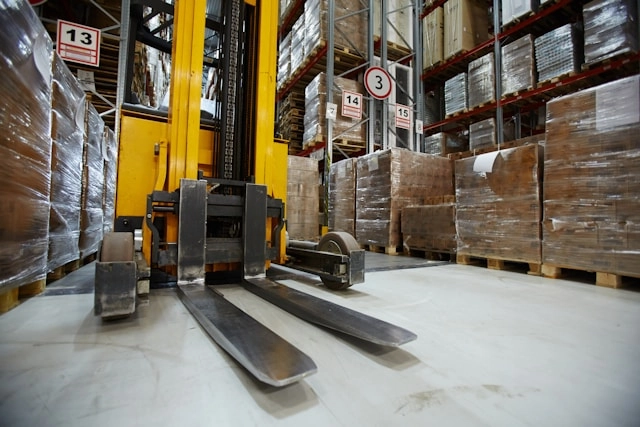
When a matchbox shipment arrives, barcode or QR scanning on putaway records it into the right bin and updates BOM component stock in real time. That single scan is what lets MRP net accurately a minute later. Skip it, or log it a day late, and every downstream calculation runs on a wrong number.
Pick, pack, ship for finished goods
Once a production run is built, the finished sets move through pick, pack, and ship like any other order. Warehouse task management assigns the work, staff pick against their assignments, and scan-to-confirm at pack catches the wrong-item mistakes before the box seals. Our e-commerce warehouse essentials for Shopify breakdown goes deeper on tightening that flow.
Stock counts and cycle counts for manufacturing
A manufacturer counts three different kinds of stock: raw components, work in progress, and finished goods. Cycle counting each one separately keeps the MRP netting honest, because a miscount in components is invisible until it stops a build. Counting a rolling slice of locations regularly beats a single annual count that freezes the whole operation.
Stock transfers between locations
Moving components from a raw-materials zone to a production zone is a stock transfer, and it has to carry the batch and lot data with it. Lose that link and your traceability chain snaps at the exact point recall readiness depends on it. Bin, zone, and shelf locations plus scanning keep the move recorded instead of remembered.

Use Cases and Benefits of a Shopify MRP System
The value shows up differently depending on how you build, but the pattern holds across cases.
A made-to-order assembler (the candle brand) gains the ability to sell confidently, because the buildable count reflects real component stock, not a static finished-good number. A brand that manufactures in batches gains a production schedule that reads demand and tells it when to run, instead of guessing between reorders. A multi-channel seller gains one shared truth across Shopify, Amazon, and Etsy, so the last buildable set can't be sold twice.
The benefits stack from there. Fewer oversells, because shared components are watched. Fewer stockouts, because reorder triggers reach down to raw materials. Faster production, because work orders show status instead of hiding it. And cleaner recalls, because batch and lot data follows a unit end to end. Each one is a small error the spreadsheet used to let through.
Shopify MRP System Pricing and Plans
Pricing for this category usually keys off a few variables, so read a quote by what drives it, not just the headline number. The common levers are order or transaction volume, the number of sales channels you sync, SKU and BOM count, user seats, and which modules you turn on (MRP alone versus MRP plus WMS).
Watch for costs that sit outside the subscription line. Per-channel connectors, onboarding or implementation fees, and paid support tiers can change the real total more than the base plan does. A tool that looks cheap monthly can cost more once you add the Amazon and Etsy connectors a multi-channel manufacturer actually needs.
For a small manufacturer, the plan that fits is the one priced to your current volume with room to grow a tier without re-platforming. Map the levers above to how you actually operate, then compare like for like.
MRP vs. Alternative Solutions
The market splits into a few shapes, and the right one depends on your size and how much you build.
NetSuite is full-suite ERP: deep financials and manufacturing, aimed at larger operations with the budget and IT capacity for a long implementation. It's powerful and often more than a small manufacturer needs.
Katana and Unleashed sit closer to the SMB manufacturer. Katana focuses on visual production planning and floor-level scheduling. Unleashed leans toward inventory and manufacturing with strong accounting integrations. Both connect to Shopify and handle BOMs and production orders.
Organizely covers the operations core (inventory, MRP, and warehouse management) in one place, with real-time sync across Shopify, Amazon, and Etsy. The practical question is where the seams fall. A stack of point solutions can match any single feature, but you pay for the integrations between them and for keeping their data in agreement. Judge each option on whether it holds component reservations, multi-channel sync, and receiving in one consistent picture, or asks you to stitch that together yourself.
Reporting Metrics That Actually Tell You If Your Shopify MRP System Is Working
A capable Shopify MRP system tracks the operational metrics that map to real decisions: how many SKUs you carry, how orders trend, how long suppliers actually take, whether forecasts hold, how fast stock turns, and how quickly finished goods clear the pack station.
SKU count and order volume trends
Rising SKU counts and order volume tell you whether you're growing into more complexity than your current setup can absorb. If both are climbing while your spreadsheet updates keep slipping, that's the signal to move before a stockout forces the decision for you.
Lead-time and forecast-accuracy reporting
These two numbers answer "am I ordering components too early or too late?" Lead-time reporting shows how long suppliers actually take versus what you assumed. Forecast accuracy shows whether your demand estimates are holding. Read together, they tell you if your purchase orders are firing at the right moment or drifting out of sync with real demand.
Stock turnover and pick/pack throughput
Stock turnover ties up cash when it's low and signals dead components sitting in a bin. Pick/pack throughput measures how fast finished goods clear the floor once built. Watching both connects manufacturing efficiency to fulfillment speed, so you can tell whether a slowdown started at the build or at the pack station.
Useful Tips and Best Practices
A few habits keep the system honest once it's live:
Build your BOMs before you connect channels. Every calculation inherits errors from a wrong recipe, so start clean.
Match sync mode to how fast parts get committed. Individual sync for made-to-order, bulk import for high-volume runs.
Feed real supplier lead times in, not optimistic ones. Reorder timing is only as good as the numbers behind it.
Set reorder points on raw materials, not just finished goods. The stockout usually hides in a part.
Scan at receiving every time, without a day's delay. One late log throws off every downstream net.
Cycle count components, work in progress, and finished goods separately. A component miscount is invisible until it stops a build.
Reserve components only against paid orders. Pending and draft orders shouldn't commit parts.
Choosing a Shopify MRP System: What to Evaluate Beyond the Feature Checklist
Since Shopify can't be an ERP on its own, your real choice is how you fill the gap: one platform that combines inventory, MRP, and warehouse management, or three separate tools stitched together with integrations.
All-in-one vs. point solutions
Bolting a standalone MRP to a standalone WMS to your Shopify sync means paying for three tools, three onboarding curves, and the integrations between them. It also fragments your data, so a component reservation in one system may not reach the other before a channel oversells. A Shopify ERP MRP that holds multi-channel sync, MRP, and WMS in one place removes those seams. That's the case for an all-in-one approach: fewer moving parts to keep in agreement.
SMB fit
Many MRP platforms assume a dedicated IT team and a months-long implementation. For a small manufacturer, that's a non-starter. Weigh onboarding time and whether daily use requires a specialist or just your existing staff. An MRP system for small manufacturers should be operable by the people already running the floor.
Support and resources
The best-configured system still fails you the week something breaks and nobody answers. Weigh what backs the software as hard as you weigh features. Ask how support is delivered (chat, email, phone, and the hours it's staffed), whether onboarding includes hands-on help setting up your BOMs and channel sync, and what self-serve resources exist for the day you're troubleshooting alone: documentation, guides, and a searchable help center. For a small team without an IT hire, responsive support and clear resources are the difference between a bad afternoon and a bad week.
Questions to ask during a trial or demo
Bring these to any demo, grounded in the problems above:
When a gift set sells on Shopify, does the system reserve its components against a production order in real time?
Does stock sync across Shopify, Amazon, and Etsy update within a minute, or on a schedule?
Can it net demand against on-hand and on-order components to recommend purchase orders automatically?
Do supplier lead times and production cycle times both feed reorder timing?
Does barcode or QR scanning on receiving update BOM component stock immediately?
Do batch and lot numbers follow a component through transfers and into the finished shipment?
When an order is refunded, does inventory only come back if the goods are physically received?
Can one team run it without a dedicated IT hire, and what support is there when they get stuck?
If the answer to those is yes across the board, you're looking at a system built for how a Shopify manufacturer actually works, not a storefront asked to do a job it was never meant to hold.
Frequently asked questions
Can Shopify be an ERP?
Shopify alone isn't an ERP. It handles the storefront, checkout, payments, and finished-goods inventory, but it has no bill of materials engine, no production or work orders, and no supplier lead-time awareness. To run manufacturing you pair Shopify with a Shopify MRP system, or an all-in-one platform that adds inventory planning, MRP, and warehouse management on top of your store.
How do you change MRP in Shopify?
Shopify has no built-in MRP to change, since material requirements planning lives outside the storefront. You add it by connecting an MRP system for Shopify that reads your orders as a demand signal, applies your bills of materials, and generates component purchase recommendations. You adjust the plan by editing BOMs, reorder points, safety stock, and supplier lead times inside that connected system, not inside Shopify itself.
Do returns automatically restore component stock in an MRP system?
Not automatically, and they shouldn't. A refund closes the money side of the order, but inventory should only come back when the returned goods are physically received and scanned. At that point you decide whether the item re-enters stock as a finished good, gets disassembled into components, or is written off, and the MRP layer updates buildable counts from there.